Thunderbird email client
Thunderbird is a good Free email client to use as it includes the following
- Send and receive email
- Contact List
- Calendar
- Task list
- Customizable for user needs
- Note Thunderbird is meant for either Mac or Windows desktop computers
To Install
- Go to https://www.thunderbird.net/
- Download the “Free Download” Button in the screen
- Donate if you like
- Run the Thunderbird setup downloaded file
- Setup Thunderbird to connect to the RevShare email server
a. Use standard Install Options
b. Setup 1
i. Enter Name
ii. Your RevShare Email address
iii. Your email password
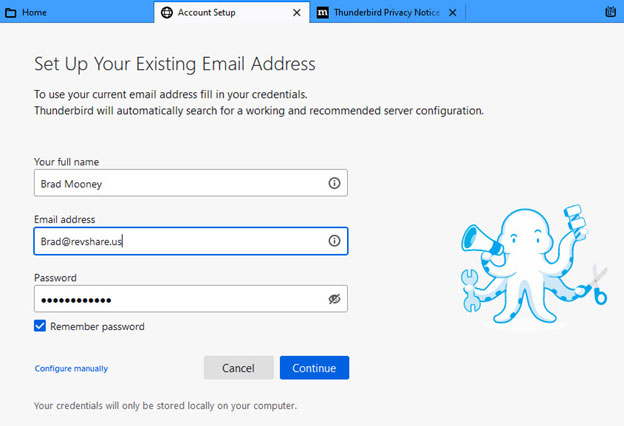
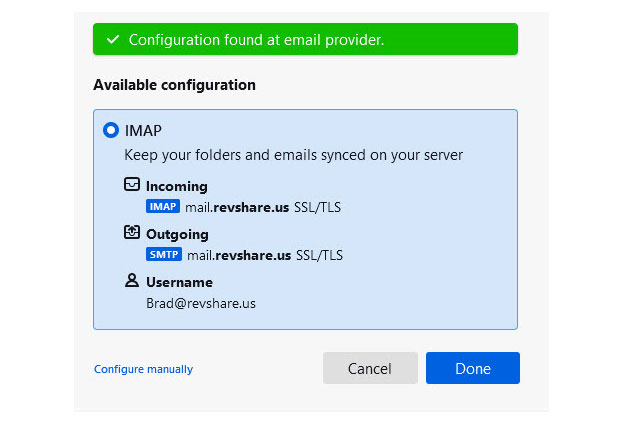
c. Setup 2
i. Once you click continue, this should be found, choose Done
d. Clicking on Done should give you this, click Finish
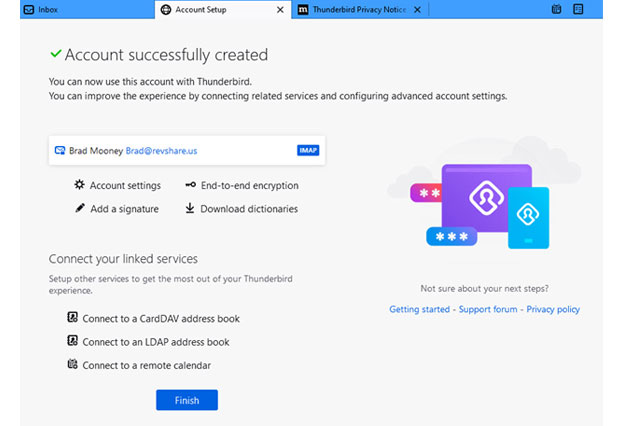
And it is all complete
Check you inbox for email
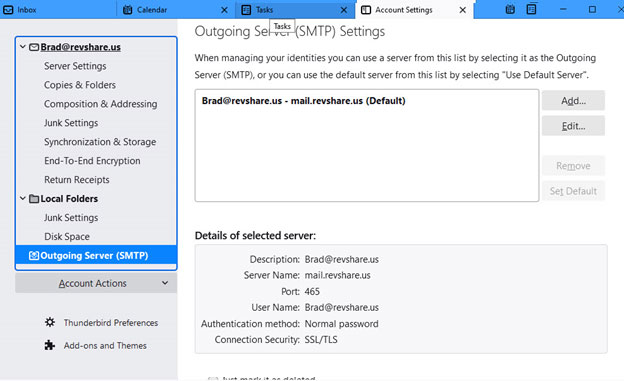
If thigs are not working, the following screen shots show you what is to be under the “account Settings under the menu on the right
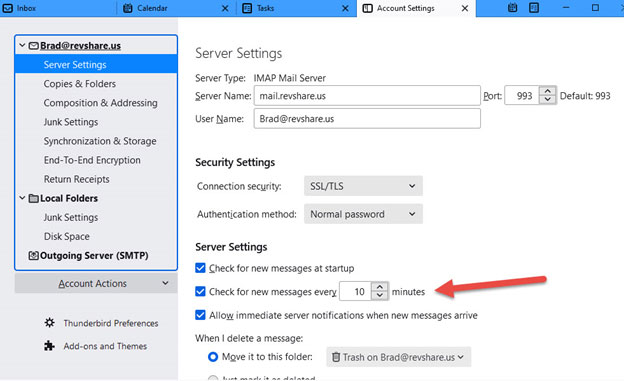
Oh and on this screen, you can change the check for new messages if 10 minutes is not sufficient. Note that you can also click on the “Get Messages” at anytime to force a check for new messages.